01
Choose the kind of feedback
Use Patient feedback in Quick setup for an anonymous survey, or a follow-up email with your own public review link.
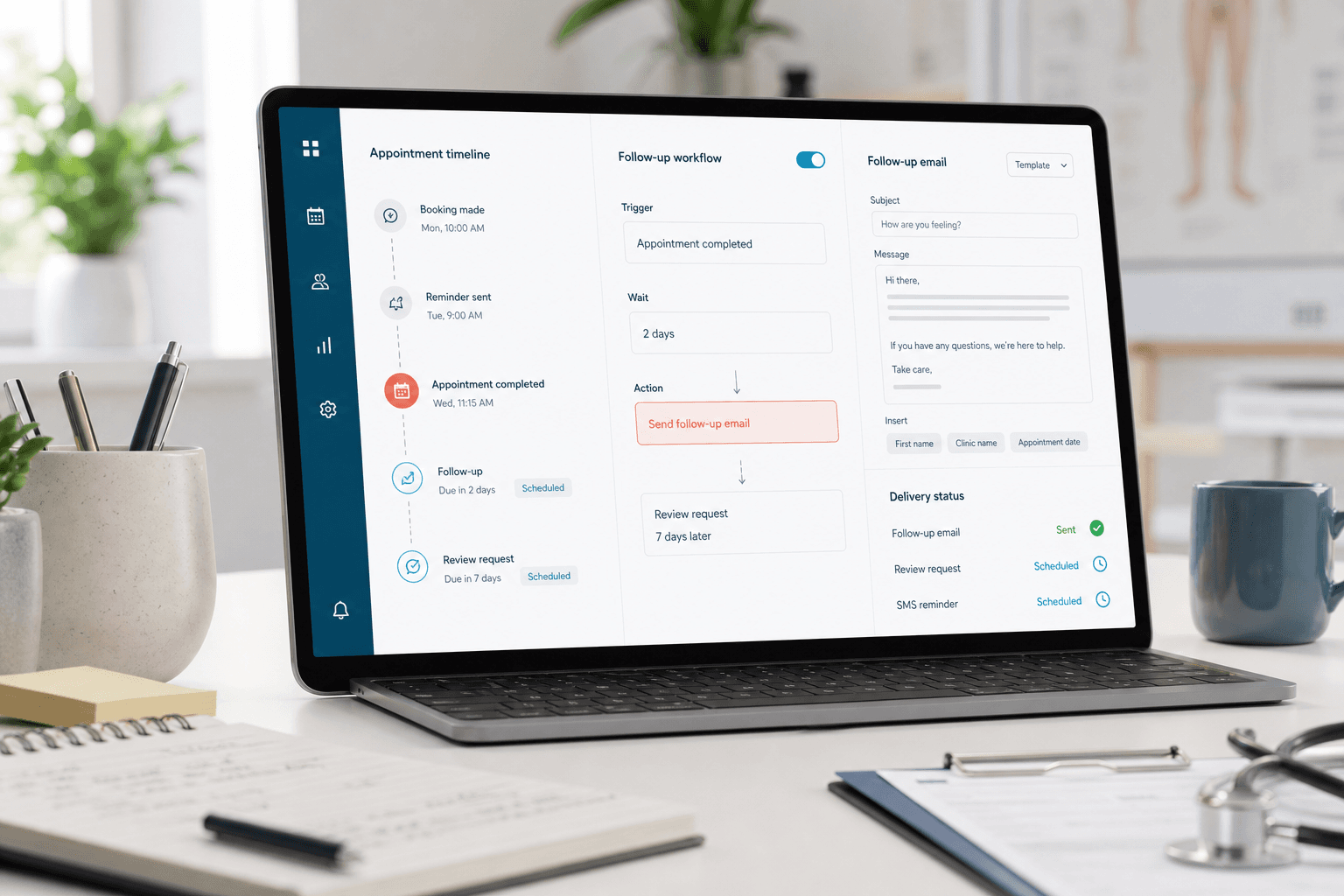
Cliniko patient feedback and reviews
Send an anonymous feedback survey after chosen visits, or invite patients to leave a public review. Use an email that looks like your clinic, with timing handled automatically.
From your email to their feedback
01
Use Patient feedback in Quick setup for an anonymous survey, or a follow-up email with your own public review link.
02
Import a design or choose a ready-made clinic email. Use a survey link for anonymous feedback, or add your chosen review destination.
03
Set the delay after the visit and choose who receives it. Choose confirmed visits such as the first and fifth.
04
Send yourself a test before turning it on. View survey scores in Monitoring and check individual emails in Logs.
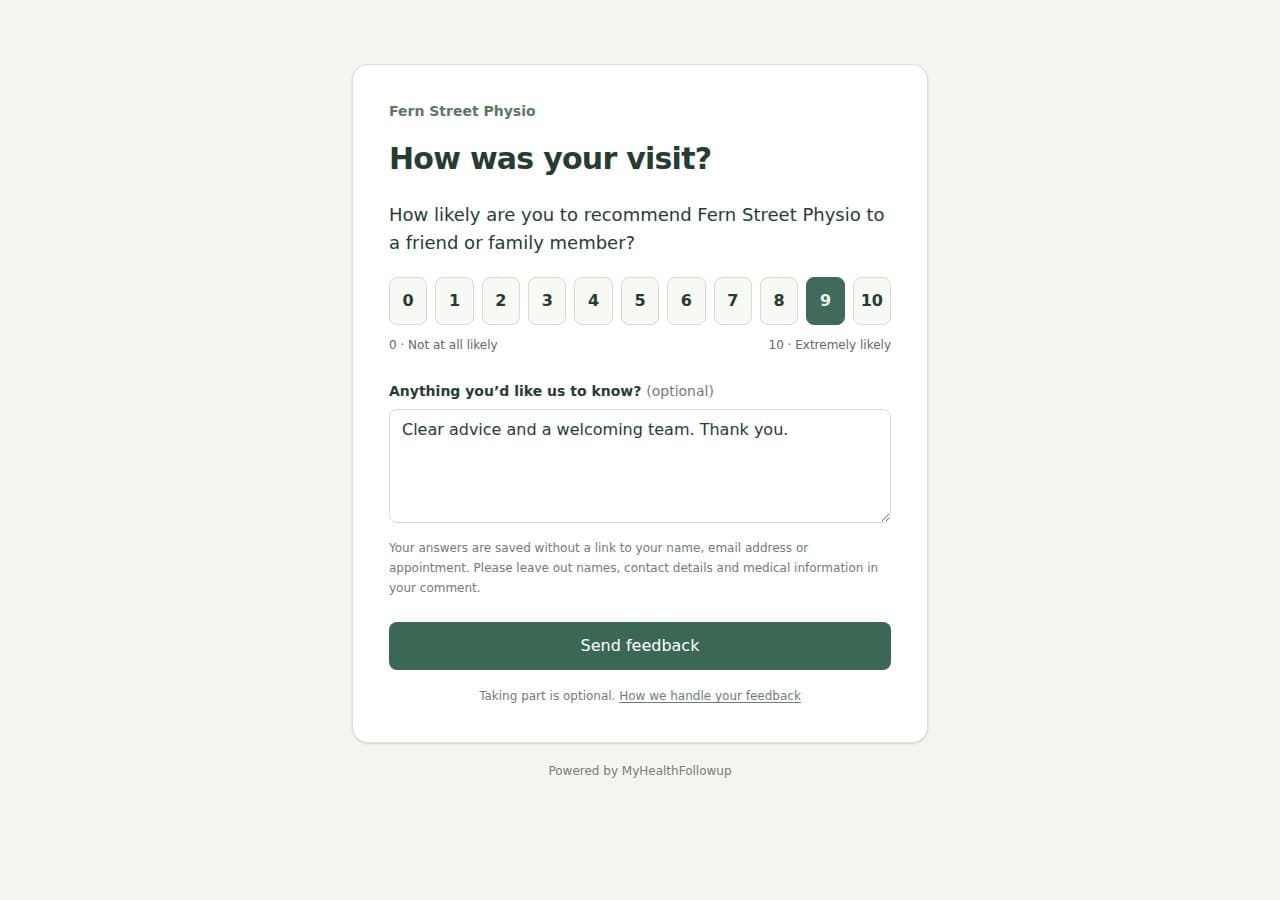
Private patient feedback
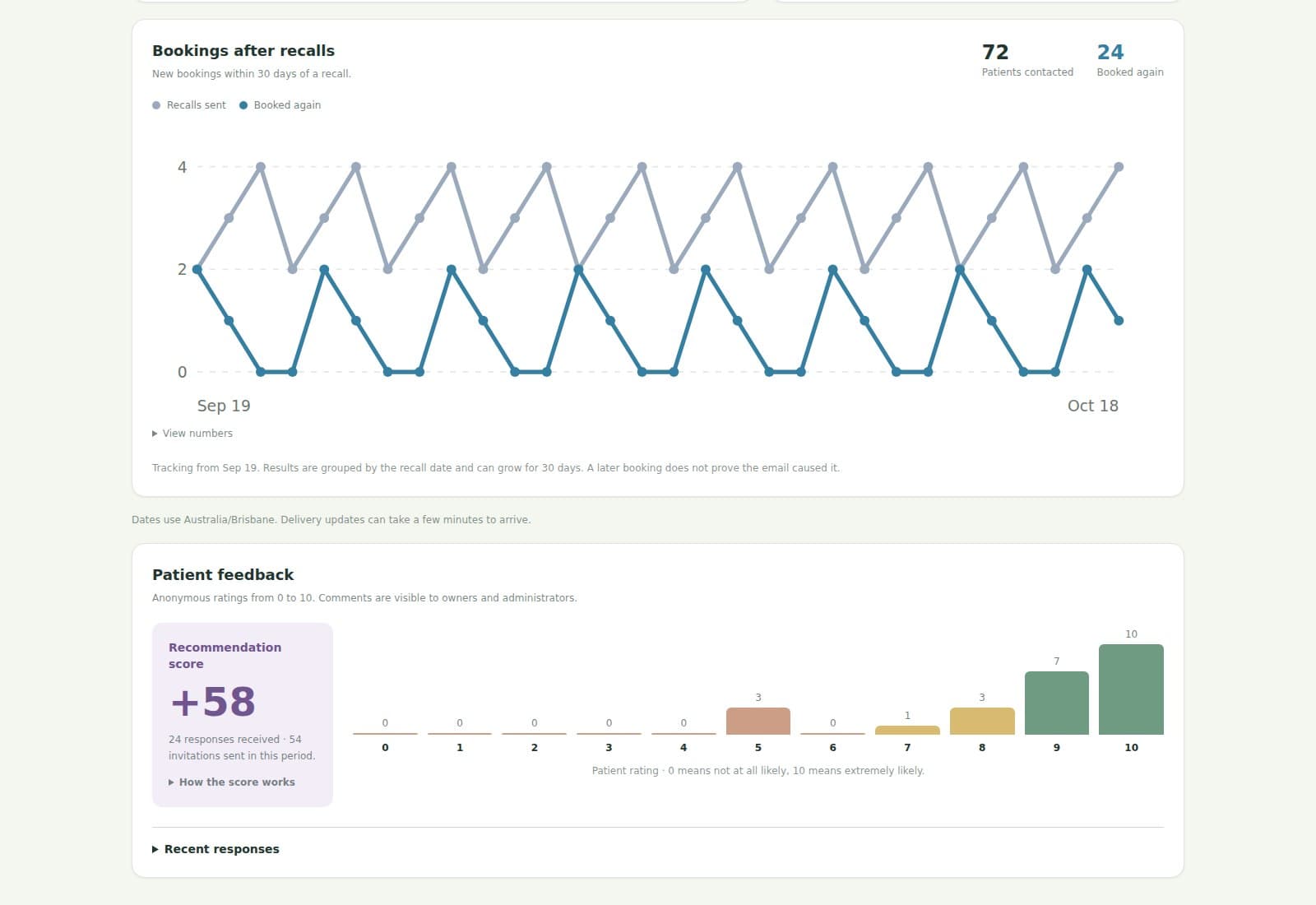
Patients choose a recommendation score from 0 to 10 and can add a comment. Monitoring shows the overall Net Promoter Score (NPS), response counts and rating distribution. Owners and administrators can read comments to help understand the experience behind a score.
Explore MonitoringPublic review requests
Add your Google or other review link to a follow-up email. Choose which appointments it applies to and how long after the visit it sends. Patients leave their review on that service.
Private survey answers stay in MyHealthFollowup and are not published as reviews.
Checks before sending
Feedback and review emails use the same appointment and permission checks as other after-visit automations.
Feedback and review questions
Patient feedback is an anonymous survey asking how likely someone is to recommend your clinic, from 0 to 10, with an optional comment. Responses are saved without a link to the patient. Results appear in Monitoring, and only clinic owners and administrators can read comments. Details patients write in comments may still identify them. A public review request sends your chosen link, such as your clinic's Google review page; reviews stay on that service.
Yes. Choose Patient feedback in Quick setup, select Certain visits and enter 1, 5, or any other visit numbers you need. We check Cliniko appointment history, and the patient must be marked as arrived for the visit. The Cliniko connection needs access to the clinic's visit history for this check to work.
Yes. Monitoring shows your overall NPS, the number of responses and the spread of 0–10 ratings. It uses the standard calculation: the percentage rating 9 or 10 minus the percentage rating 0 to 6.
Yes. The timing can be set to a chosen number of minutes, hours, or days after the appointment.
Yes. Create separate automations and filter each one by location, practitioner, appointment type, or medical alert where needed.
No. MyHealthFollowup sends the clinic's email and chosen review link. The patient decides whether to leave a review on the destination selected by the clinic.
The email is skipped when Cliniko records that the patient did not arrive. Feedback also needs confirmed arrival, so staff should keep the appointment's attendance status up to date.
Preview it with your clinic details