Features

Everything your clinic can do with MyHealthFollowup.

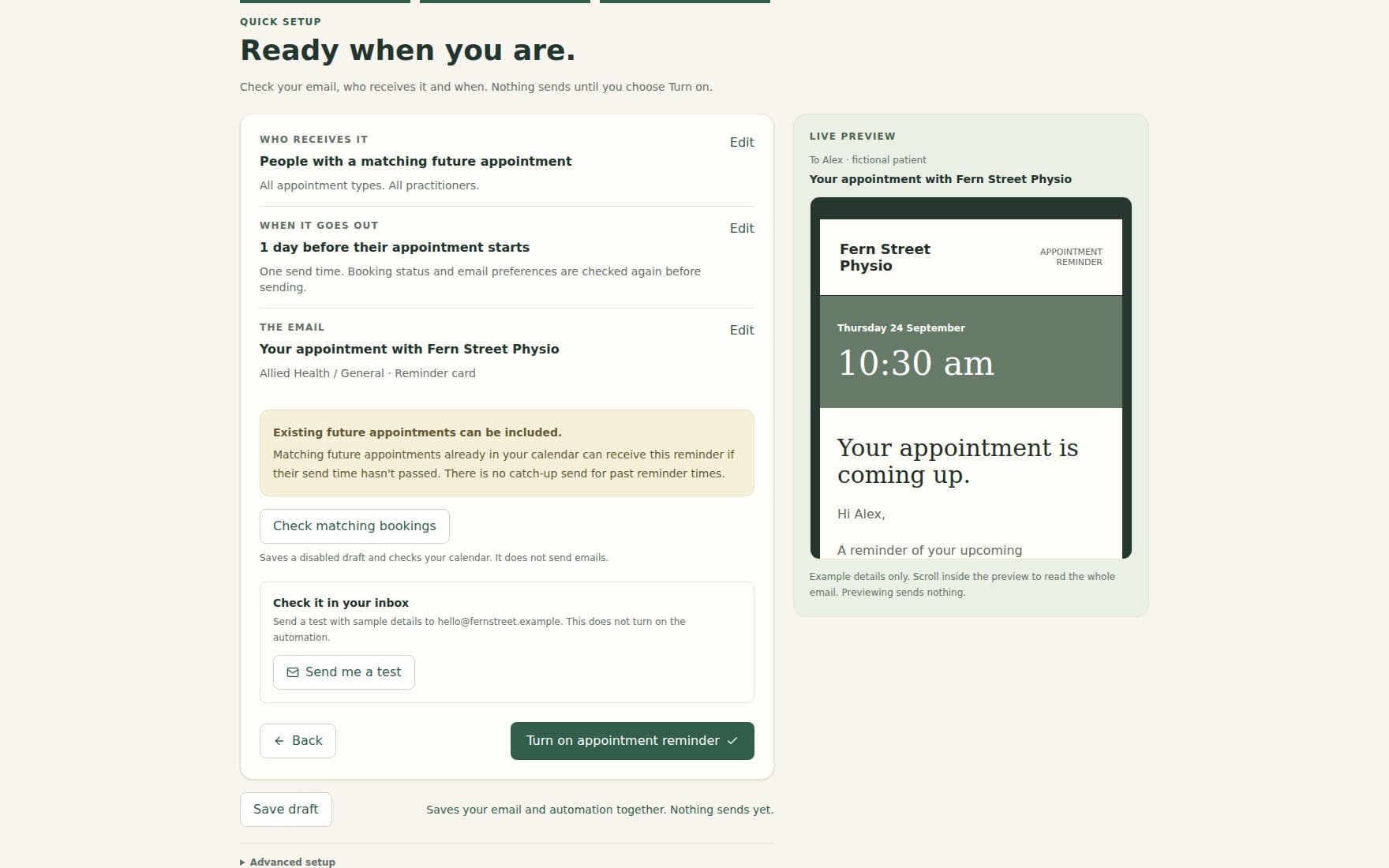
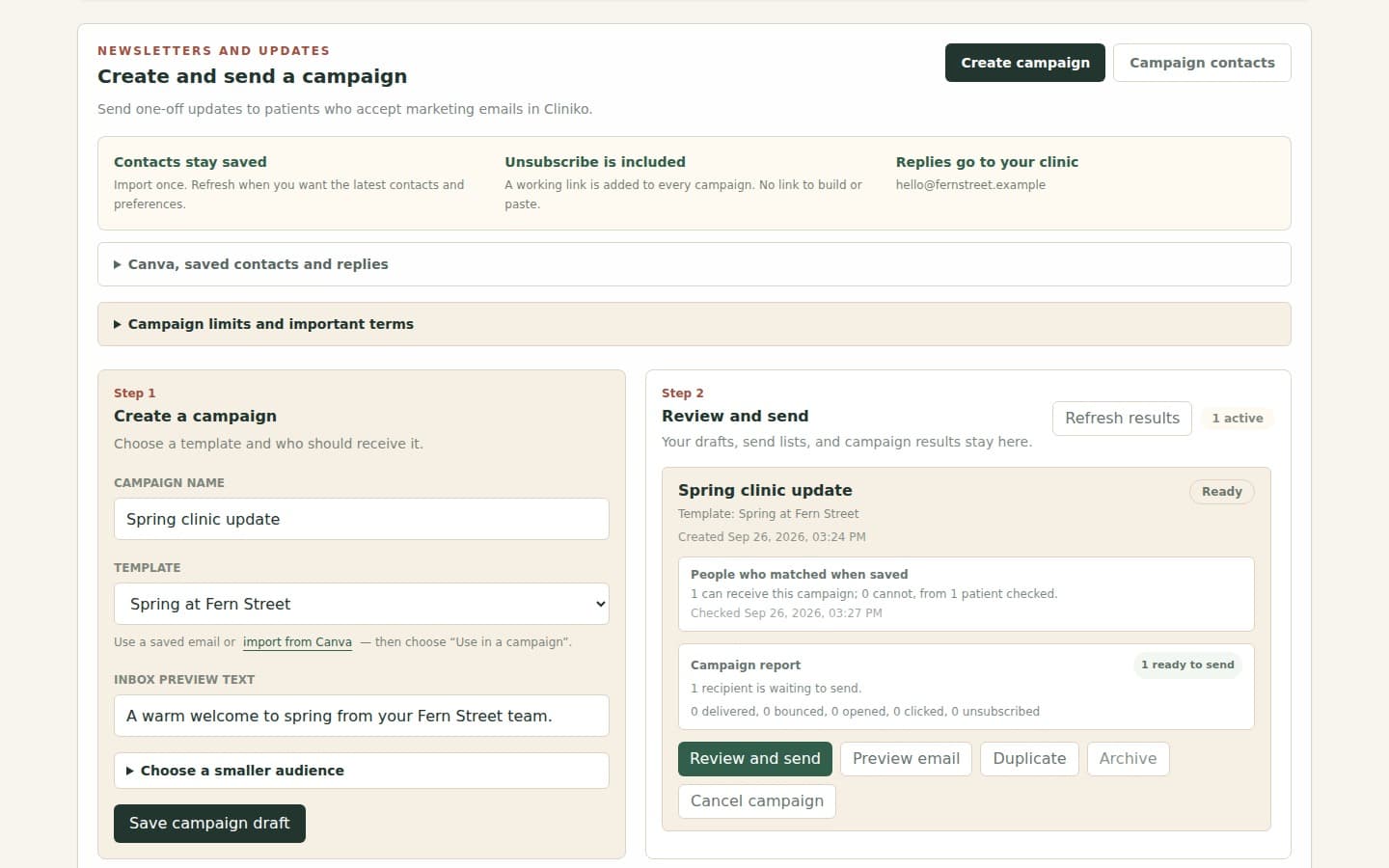
MyHealthFollowup helps clinics using Cliniko send better patient emails without rebuilding their appointment workflow. Import a finished email design, add Cliniko details, choose when it should send, then monitor what happens from the dashboard.

Common automations

Useful for the emails clinics send every week.

These are the kinds of patient emails clinics usually build first. The exact wording, branding, and timing stay under your control.

New booking welcome emails
Pre-appointment preparation instructions
Appointment reminders with clinic branding
Post-appointment care information
Review requests
Rebooking prompts
Longer-term recalls
Condition or group emails based on Cliniko medical alerts

Templates

Bring in the email design your clinic wants to send

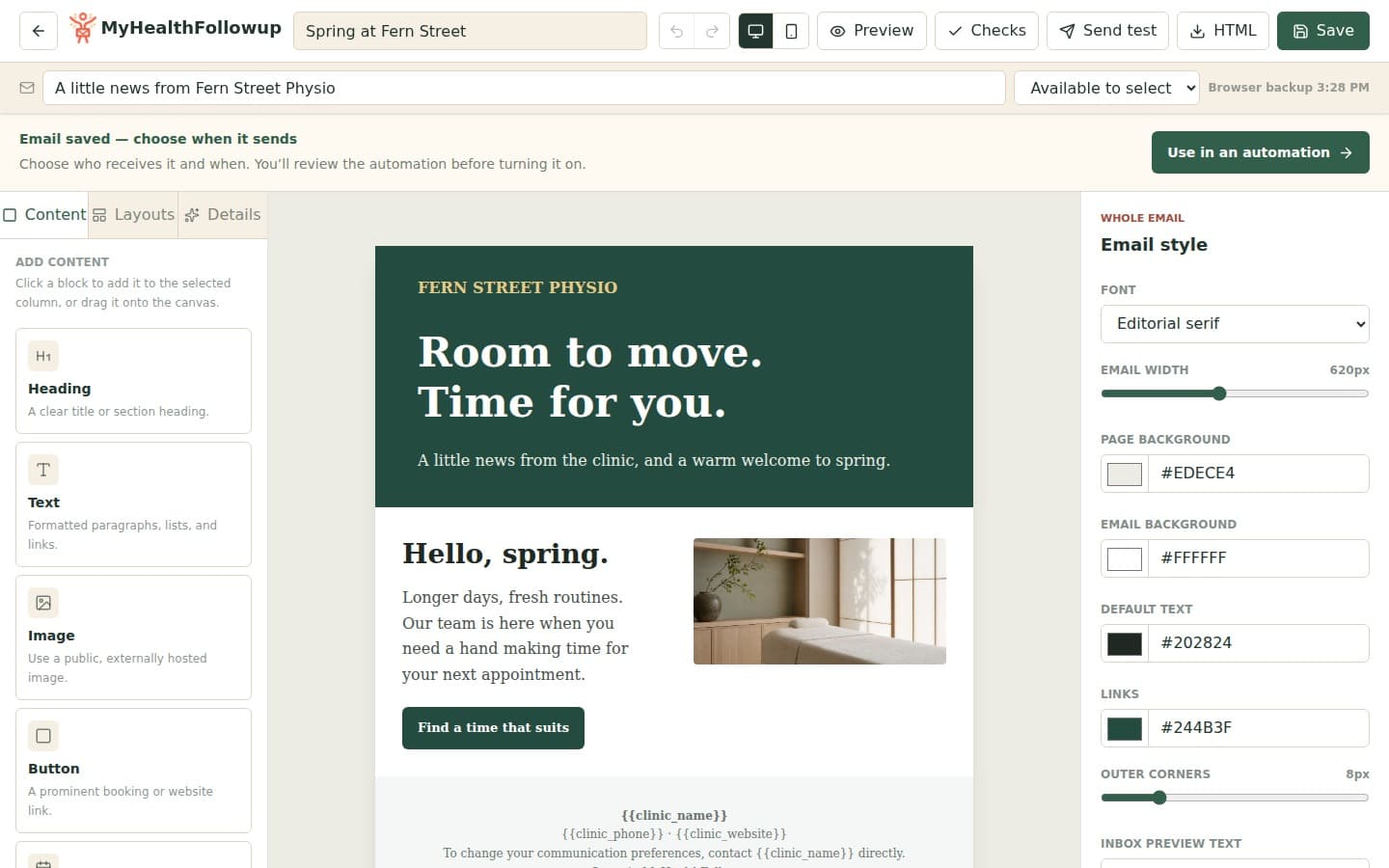
Use a finished email design, start from a clinic template, or keep things simple with the built-in editor.

  • Import finished HTML templates from Mailchimp, Beefree, Campaign Monitor, Brevo, and other email builders
  • Drag a template file into the upload area or choose it from your computer
  • Choose from built-in starter templates for common clinic emails
  • Use a simple editor when you only need a straightforward text-based email
  • Preview the rendered email before saving
  • Send yourself a test email before turning an automation on
  • Add clinic, patient, appointment, practitioner, and booking fields to templates
  • Add link fields with friendly link text
  • Include a communication preferences footer when needed

Timing

Send emails when they make sense in the patient journey

Rules can send as soon as a booking appears, before an appointment, after an appointment, or when a patient has a matching Cliniko medical alert.

  • Send shortly after a new booking appears in Cliniko
  • Send any number of minutes, hours, or days before an appointment
  • Send any number of minutes, hours, or days after an appointment
  • Send longer-term recall or rebooking emails weeks or months later
  • Create one-off emails for existing patients with a matching medical alert
  • Create ongoing medical-alert automations for existing and future patients
  • Create future-only medical-alert automations
  • Apply new rules to relevant previous appointments when needed

Rules

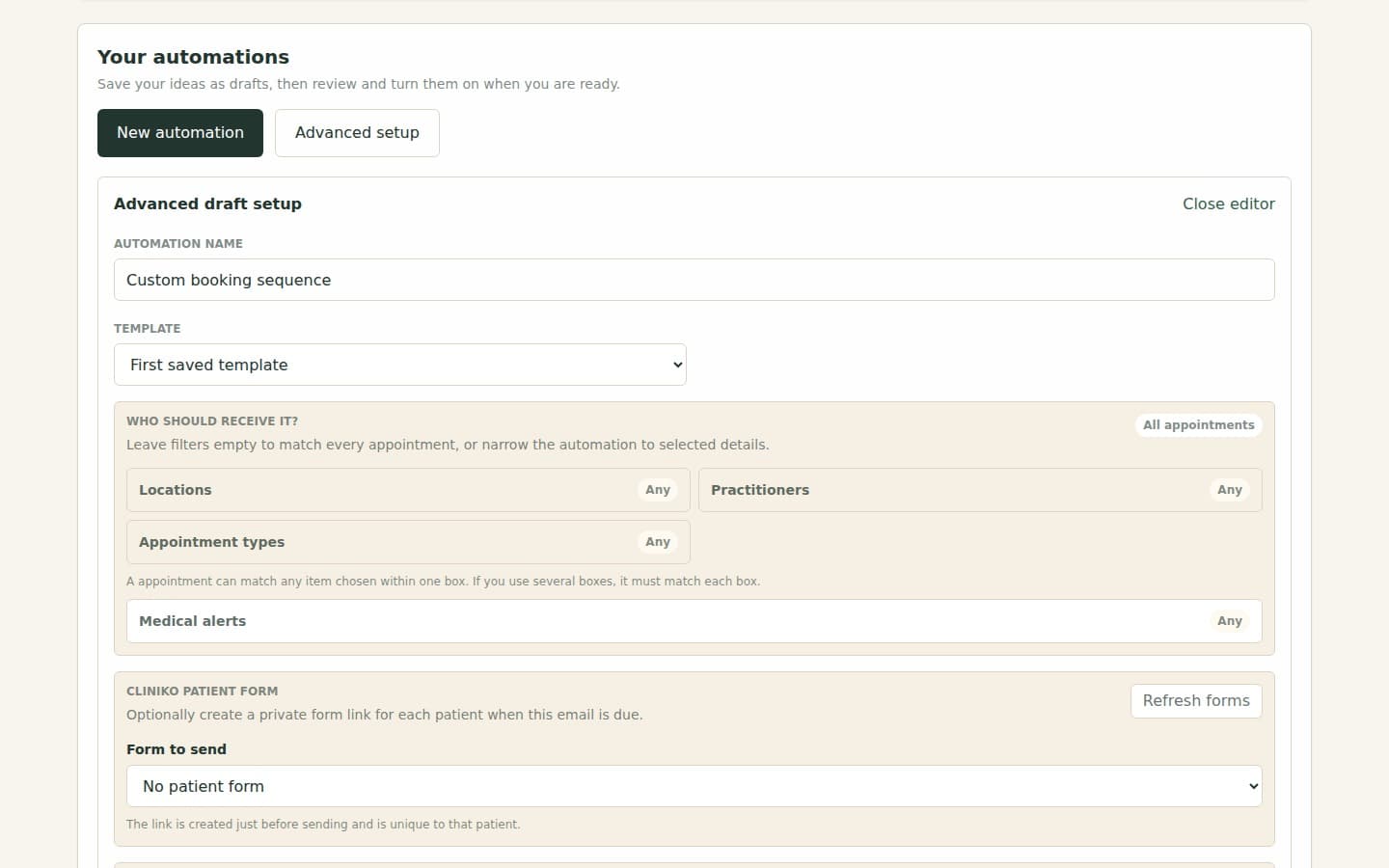
Choose exactly who should receive each email

Keep automations practical by matching the right patients, appointment types, practitioners, and clinic situations.

  • Target specific Cliniko appointment types
  • Target specific active practitioners
  • Use Cliniko medical alerts to send patient-based emails
  • Only use each patient's latest matching appointment
  • Skip follow-ups when the patient has already rebooked
  • Limit how often one patient receives the same automation
  • Respect Cliniko booking-confirmation email preferences
  • Skip after-appointment emails when the patient did not arrive
  • Skip cancelled appointments and stale follow-ups

Messages

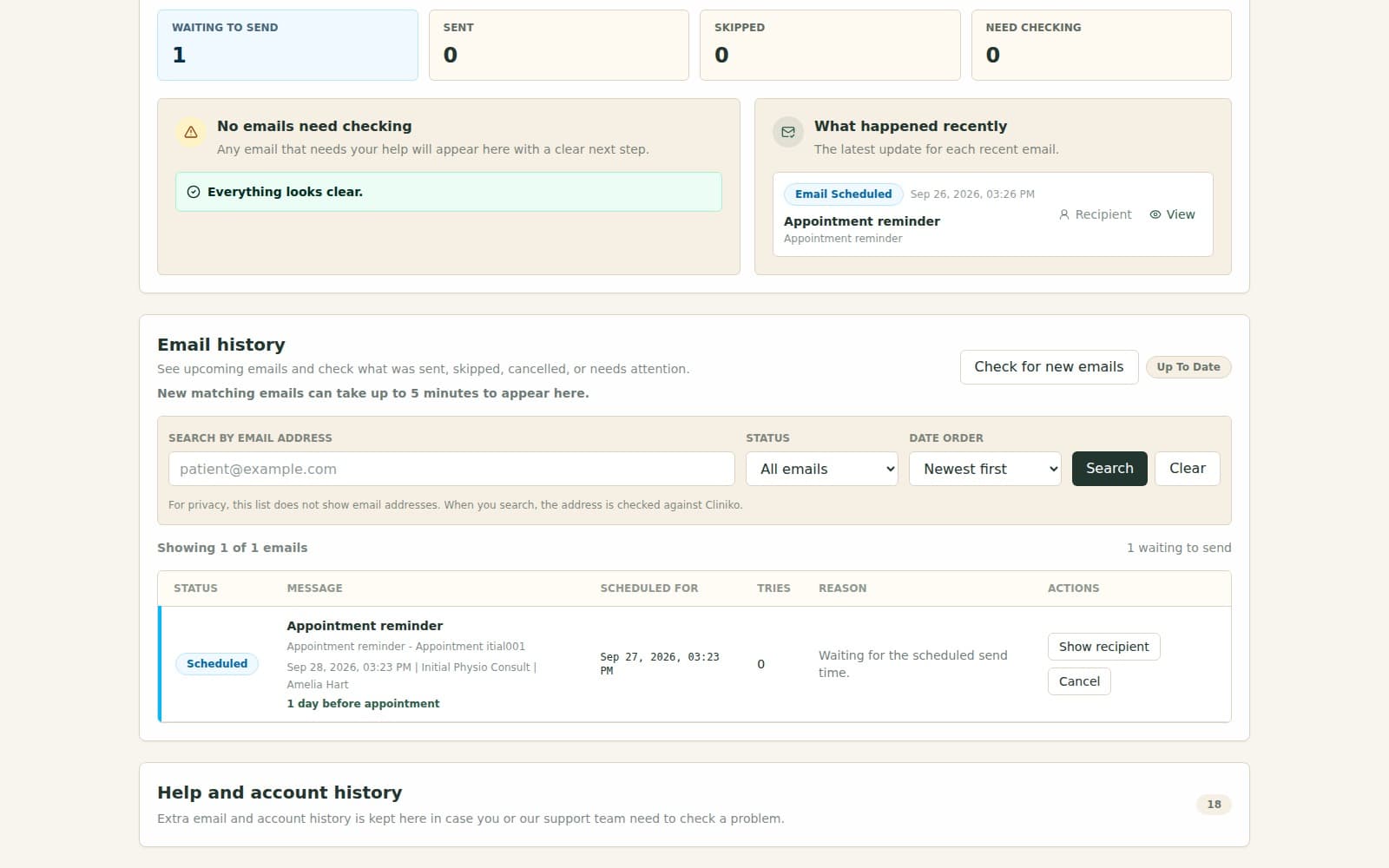
See what is scheduled, sent, skipped, or needs attention

Reception and clinic managers can check upcoming emails without digging through logs or guessing what happened.

  • View scheduled messages in send-time order
  • Search scheduled messages by patient email
  • Filter messages by status
  • Paginate larger message lists
  • Cancel upcoming emails
  • Retry failed messages
  • Refresh the scheduled message list when waiting for new bookings to appear
  • See plain-English skipped reasons
  • See delivery, bounce, complaint, reject, and rendering-failure events for operational review

Clinic setup

Keep the setup understandable for non-technical staff

The dashboard is built around the clinic workflow: connect Cliniko, complete clinic fields, set templates, then turn on automations.

  • Connect Cliniko with an API key
  • Show active practitioner count for billing and setup confidence
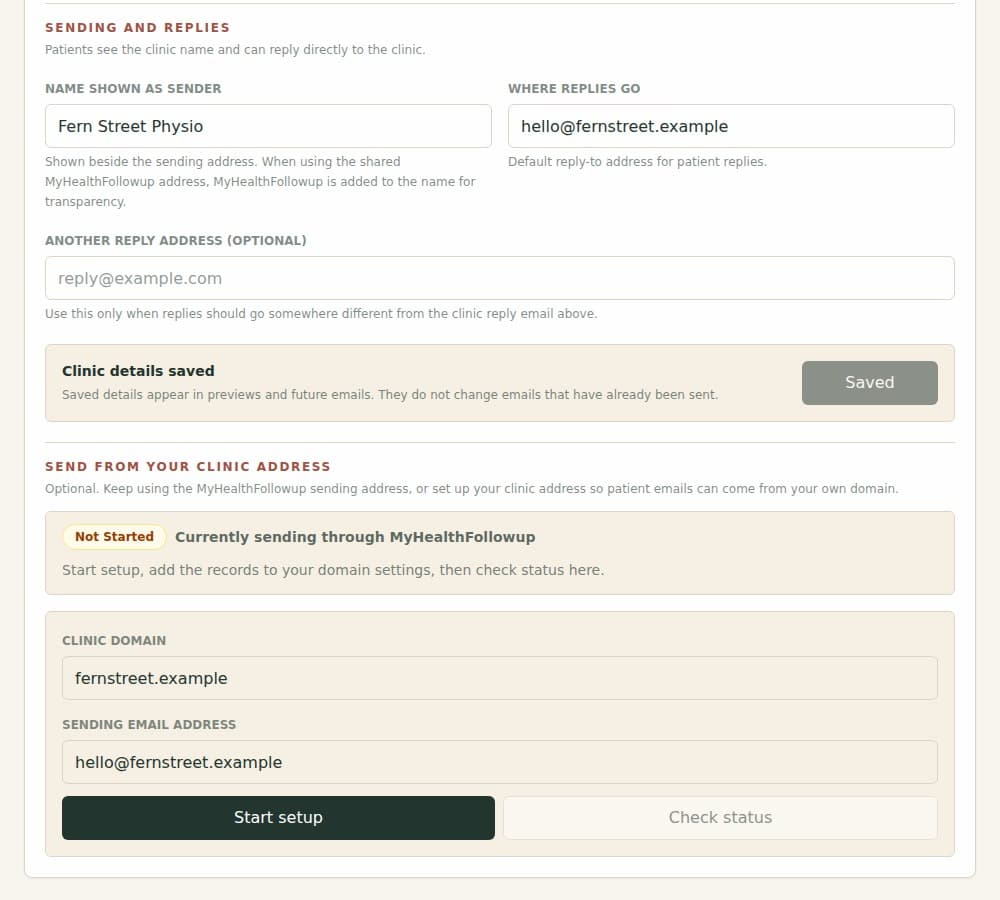
  • Save clinic display name, phone, website, email, and reply-to fields
  • Use saved clinic fields inside templates
  • Show recommended plan based on active practitioners
  • Cancel template edits and restart safely
  • Hover over active automations to see what each rule does
  • Refresh Cliniko details after clinic changes

Sending

Send from a safe default, with an option for your own domain

Clinics can start quickly with the MyHealthFollowup sending address and clinic reply-to details, then set up their own clinic sending address after the trial has ended.

  • Use clinic reply-to details so patient replies go back to the clinic
  • Use a safe MyHealthFollowup sending address while getting started
  • Set up a clinic-owned sending address from the dashboard
  • Copy the required records into the clinic's domain settings
  • Only send from the clinic address once the setup is complete
  • Track whether emails were sent, delivered, skipped, bounced, or failed
  • Keep the clinic-owned sending address option locked until the trial has ended

Safety

Built with health-clinic expectations in mind

The product keeps Cliniko as the main patient record and uses only the details needed to prepare, send, skip, and review emails.

  • Keep Cliniko API keys protected on the backend
  • Avoid storing finished patient emails months ahead
  • Look up patient details close to send time where practical
  • Check current Cliniko patient and appointment state before sending
  • Show useful message status without turning the dashboard into a clinical record
  • Record audit history for sensitive clinic changes
  • Keep billing card details in Stripe, not MyHealthFollowup

Billing

Simple pricing based on active practitioners

Every plan includes the core template, automation, and message-tracking features for normal clinic use.

  • 30-day free trial
  • Solo plan for one active practitioner
  • Small Clinic, Clinic, Growing, and Team plans for larger practitioner counts
  • Automatic plan recommendation from active practitioner count
  • Stripe-hosted billing checkout and portal
  • Billing lifecycle handling for subscriptions, invoices, and plan changes

Cliniko connected app

Built around clinics already using Cliniko.

MyHealthFollowup is listed in Cliniko's connected apps directory. It connects to Cliniko to read the appointment, patient, practitioner, and clinic details needed for email automations, while keeping Cliniko as the clinic's main place for appointments and patient records.

View connected app listing

Ready to try it with your own clinic?

Start with a finished template, connect Cliniko, and send a real test email before anything goes live.

Start free trial